Winter swimming is a ritual. Whether it’s a quick dip in a backyard tub or a focused plunge into a freezing river, it’s a moment of total presence.
However, when I looked for a way to track my sessions over the last 7 years, I found a frustrating trend: Everything is gamified. Most fitness apps want you to stay in longer, go more often, and compete for "streaks." In the world of cold-water swimming, that isn't just annoying—it’s dangerous. Pushing yourself to hit a "target time" in 2°C water is a recipe for hypothermia, not health.
That’s why I built the Winter Swimming Tracker. It’s a tool that respects your pace, your safety, and your privacy.
The Philosophy: Anti-Gamification
Winter swimming shouldn't be a chore or a competition. How long you stay in depends entirely on the air temperature, the wind chill, and how your body feels that specific day.
My tracker focuses on the environment rather than the achievement. It’s a place to log the conditions of your dip so you can look back and see the patterns of your journey, without an algorithm telling you to "do more."
How to Log Your First Dip (Instructions)
I designed the interface to be "numb-finger friendly." Here is how to get started:
- Get Current Location: Click this button first. Your browser will ask for permission to see your coordinates.
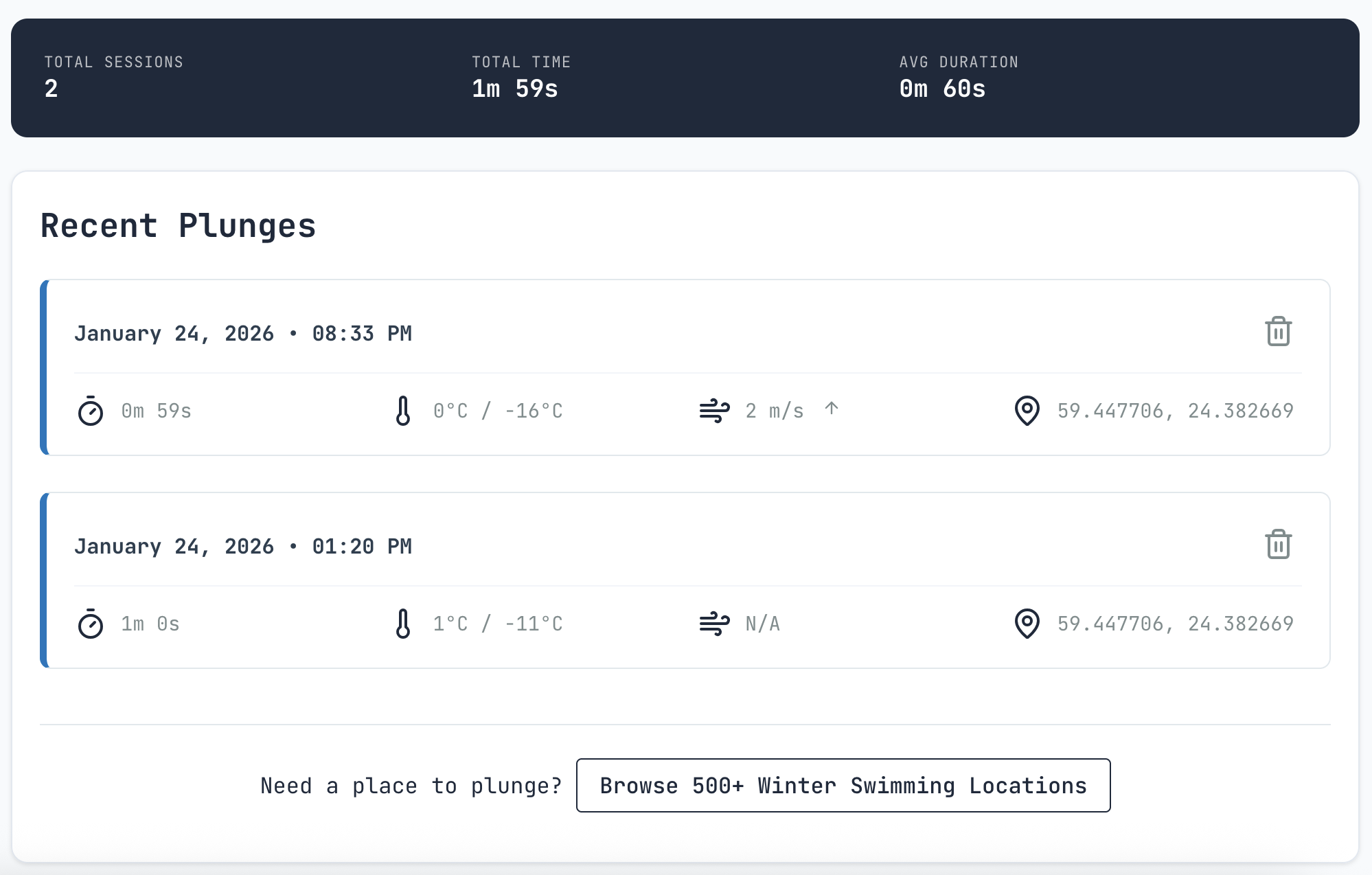
- The Auto-Fill Magic: Once located, the app queries an API to fetch real-time air temperature, wind speed, and wind direction. No manual typing in the cold.
- Optional Stats: Add your water temperature and duration if you wish.
- Save: That’s it. The entry is now stored.
Viewing Your Progress
The Log View gives you a clean list of every session. If you’re curious about the big picture, the Aggregate View shows your total number of sessions, total time spent in the water, and your average duration.
The Tech: Why "Boring" is Better
The app is built using Django 6, CSS3, and Vanilla JS. In the tech world, this is often called "The Boring Stack."
- Reliability: It doesn't need constant updates or heavy resources.
- Longevity: This tech stack has worked for decades and will work for decades more.
- Performance: It’s lightning-fast on mobile browsers because it’s not bloated with unnecessary frameworks.
Privacy: Your Data Stays Yours
Most "free" apps are actually trading your data for a service. This one doesn't.
- Data Storage: Everything is saved in your browser's Local Storage. I don't have a database of your swims.
- Location Data: Coordinates are sent to the backend to fetch weather data, but they are never saved.
- Analytics: I use a self-hosted, privacy-first tool called Bearlytics. No user profiling, no cross-site tracking.
The Proof: If you’re tech-savvy, open your Browser DevTools, go to the "Application" or "Storage" tab, and look at "Local Storage." You’ll see your data sitting right there on your device, nowhere else.
Frequently Asked Questions (FAQ)
"Will I lose my data if I clear my browser cache?" Yes. Because the data is stored locally in your browser to protect your privacy, clearing your "Site Data" or "Cache" will wipe your history.
"How do I back up my data?" At the top of the tracker, you’ll see Import and Export buttons. I recommend exporting your history to a JSON file once a week and saving it to your personal cloud (Google Drive, Dropbox, etc.).
"Can I sync between my phone and my laptop?" There is no automatic cloud sync (as that would require a login and a database). To move data, simply Export from one device and Import on the other.
What’s Next?
This is a side project built for the community. I’m currently looking into adding water temperature integration and eventually native mobile apps.
What features would help your practice? Should I open-source the code so the community can contribute? Let me know your thoughts!